

Discover Google Meet Reframe Feature: Improve Visibility and Focus
Google Meet has evolved to provide users with an array of powerful features. As it grows in complexity, accessing key video functionality has become more convenient. In this blog post, we will guide you through the process of accessing video filters, immersive backgrounds, and the reframe feature on Google Meet. These features allow you to enhance your visibility, focus, and overall meeting experience.
Accessing Key Video Functionality with the Quick Action Menu
Google Meet’s web app now offers a quick action menu, making it easier than ever to access essential video functions. By hovering over your video feed, you can quickly pin it, apply video effects such as filters and immersive backgrounds, and access the overflow menu.
How to implement:
- Hover over your video feed during a Google Meet session.
- Click on the pin icon to keep your video feed fixed in place.
- Apply video effects by selecting the filter or immersive background option from the menu.
- Access the overflow menu to perform actions such as removing the video tile, minimizing, or reframing.
Exploring Video Effects and Reframe Options
With Google Meet’s video effects, you can add filters and immersive backgrounds to personalize your video feed. Additionally, the reframe feature allows you to improve visibility and zoom in on specific areas during the meeting.
How to implement:
- Click on the video effects icon in the quick action menu.
- Choose from a variety of filters or immersive backgrounds to apply to your video feed.
- To reframe your video, select the reframe option from the quick action menu.
- Adjust the zoom and positioning to enhance your visibility and focus.
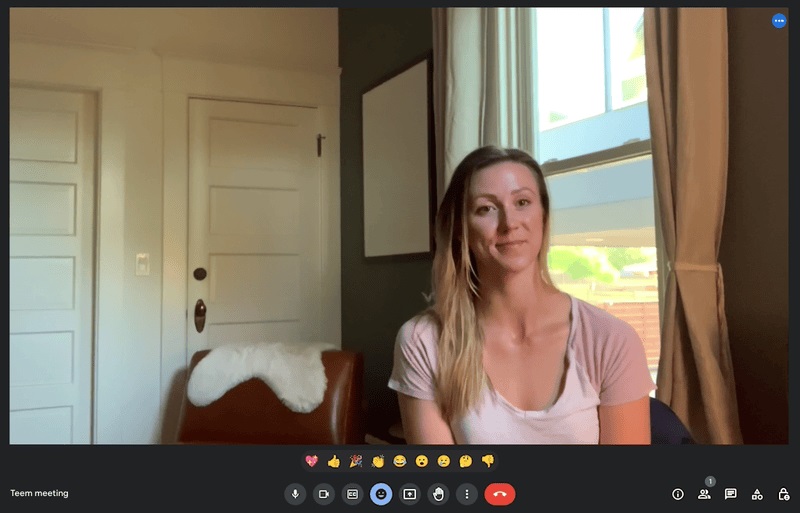
Enhancing Visibility and Focus with the Overlay
Google Meet’s new overlay feature enables you to turn off video feeds of other participants. This feature proves helpful in situations where you want to focus your meeting view on the presenter or minimize distractions caused by other participants’ video feeds.
How to implement:
- Locate the overlay feature in the user interface.
- Click on the overlay icon to activate it.
- Choose to turn off video feeds of other participants.
- Enjoy a focused meeting view with reduced distractions.
Availability and Eligibility
The availability of video reframing and certain features, such as immersive backgrounds, is dependent on your Google Workspace subscription. Reframing is available for Google Workspace Business Standard, Business Plus, Enterprise Starter, Enterprise Essentials, Enterprise Standard, Enterprise Plus, Education Plus, the Teaching and Learning upgrade, and Workspace Individual customers. It is also accessible to Google One Subscribers with 2TB or more storage space.
With Google Meet’s quick action menu and easy access to video filters, immersive backgrounds, and the reframe feature, you can elevate your meeting experience. Enhance your visibility, focus on key participants, and eliminate distractions to make the most out of your Google Meet sessions. Try out these features and witness a new level of collaboration and engagement.
