
How To Use Canva AI Image Generator To Maximizes Your Creativity
How To Use Canva AI Image Generator To Maximizes Your Creativity
Canva is a popular online graphic design platform that offers a simple, intuitive interface and a vast library of pre-designed templates and elements. With the recent addition of AI-powered image generation, Canva has made it possible for anyone to create professional-grade visuals without any prior design experience.
What is Canva’s AI Image Generator?
Canva’s AI image generator is an innovative tool that uses machine learning algorithms to create custom designs based on user inputs. With Canva’s AI image generator, you can quickly generate high-quality images and graphics that suit your specific needs. Whether you need a logo for your business, a social media post, or a custom design for a brochure, Canva’s AI image generator can help you create stunning visuals in just a few clicks.
How Does Canva’s AI Image Generator Work?
Canva’s AI image generator works by analyzing millions of images and designs to understand patterns and elements that make them visually appealing. The AI algorithms then use this data to generate custom designs that match the user’s inputs. For example, if you input your brand name and select a color scheme, the AI image generator will generate multiple designs that feature your brand name in various styles and layouts, all based on your selected color scheme.
The Benefits of Using Canva’s AI Image Generator
Here are some of the key benefits of using Canva’s AI image generator:
- Accessibility: Canva’s AI image generator is accessible to everyone, regardless of their design skills or budget. With the AI image generator, you can quickly create high-quality visuals without having to spend hours designing them from scratch or hiring a professional designer.
- Customizability: Canva’s AI image generator allows you to customize your designs based on your specific needs. You can select your brand colors, font styles, and even upload your own images to create custom designs that match your brand identity.
- Efficiency: Canva’s AI image generator can save you time and effort. Instead of spending hours designing visuals from scratch, you can generate multiple designs in just a few clicks, giving you more time to focus on other aspects of your business or personal projects.
- Professional Quality: Canva’s AI image generator produces high-quality visuals that rival those created by professional designers. With access to millions of design elements, patterns, and templates, you can create stunning visuals that capture the attention of your audience.
How to Use Canva’s AI Image Generator to Create Stunning Images
Here are some tips on how to use Canva’s AI image generator to create stunning images:
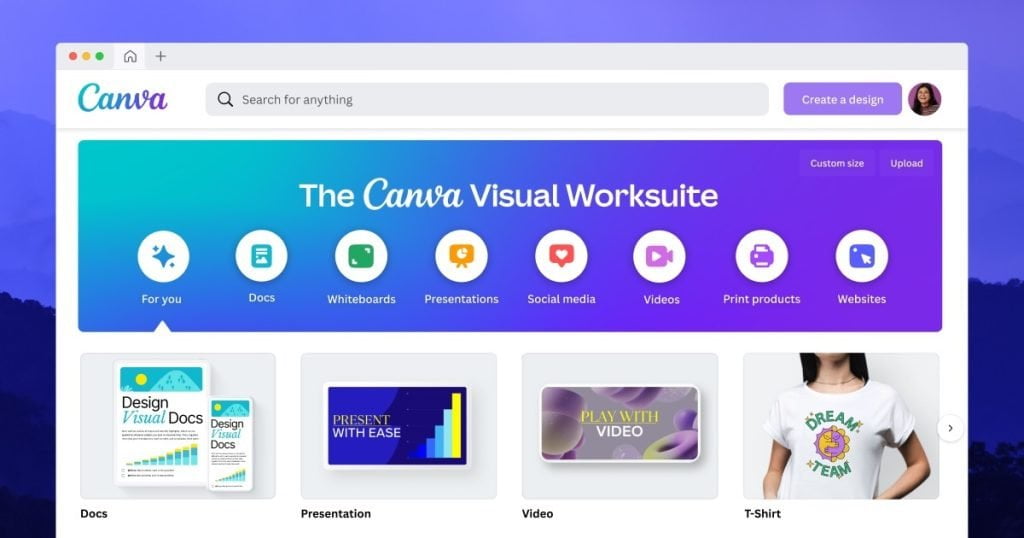
- Choose the Right Template: Canva offers a vast library of pre-designed templates for different types of visuals, such as social media posts, flyers, and logos. Start by choosing the right template that suits your needs and customize it using the AI image generator.
- Input Your Brand Identity: To make sure your designs are consistent with your brand identity, input your brand colors, font styles, and logo into the AI image generator. This will ensure that your designs are on-brand and easily recognizable.
- Experiment with Different Layouts: Canva’s AI image generator offers multiple design layouts based on your inputs. Experiment with different layouts and choose the one that best suits your needs.
- Edit and Refine Your Designs: Once you’ve generated multiple designs using the AI image generator, you can edit and refine them further to make them more unique and personalized. You can change the font style, add or remove elements, and tweak the colors to match your preferences.
Canva’s AI image generator is a game-changer for the graphic design industry. With its powerful machine learning algorithms and vast library of pre-designed elements and templates, Canva’s AI image generator makes it easy for anyone to create stunning visuals without any prior design experience. Whether you’re a business owner looking to create a logo, a marketer looking to design social media posts, or a student looking to create a school project, Canva’s AI image generator has something for everyone. So why not give it a try and see what amazing designs you can create today?
